YT Studio — inspect & download YouTube.
A clean desktop app that pulls full channel analytics and downloads any video, playlist or entire channel. FFmpeg bundled — nothing to configure.
Two tools, one window
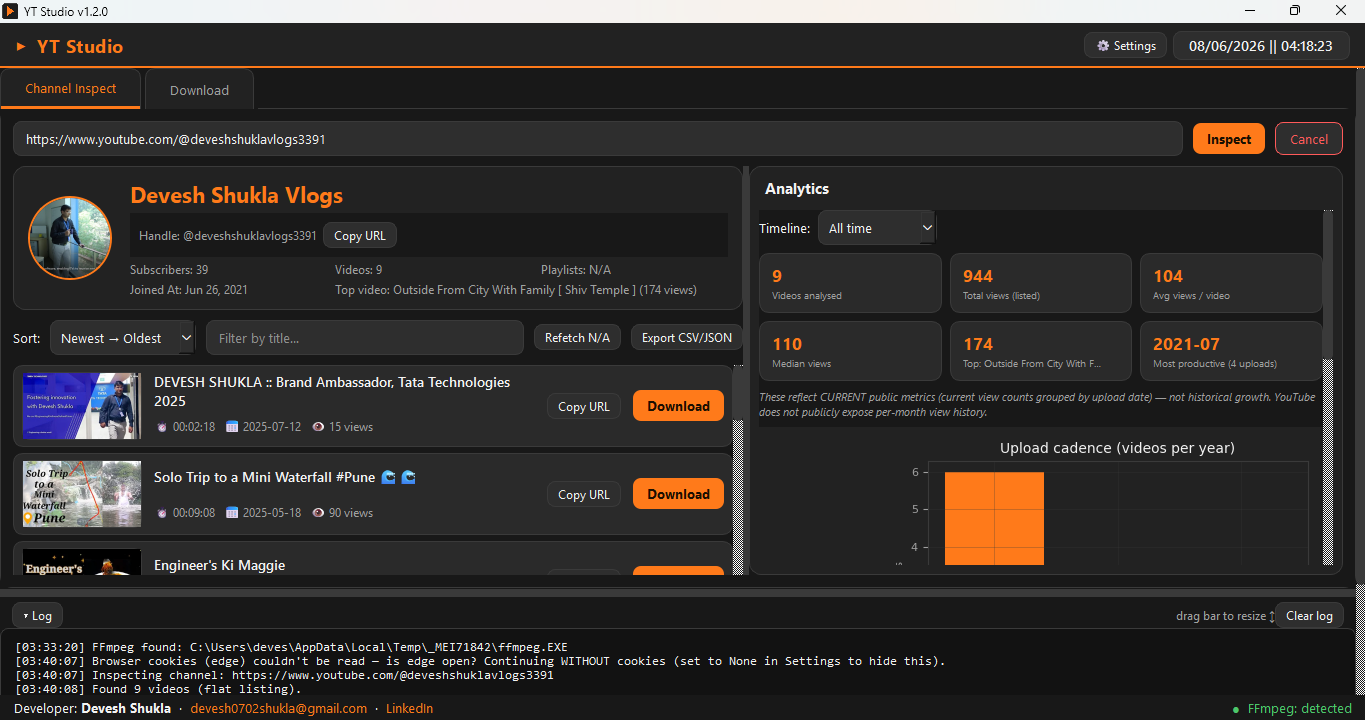
Inspect any channel, then download exactly what you want — single videos, playlists or the whole channel.
Full channel analytics in one paste
Drop in any channel URL and instantly see subscribers, total/median/average views, the top video, and upload cadence per year — with a sortable, filterable video list.
- Subscribers, views, top video & yearly cadence
- Sort & filter every video by title
- One-click export to CSV / JSON
Video, playlist, or the entire channel
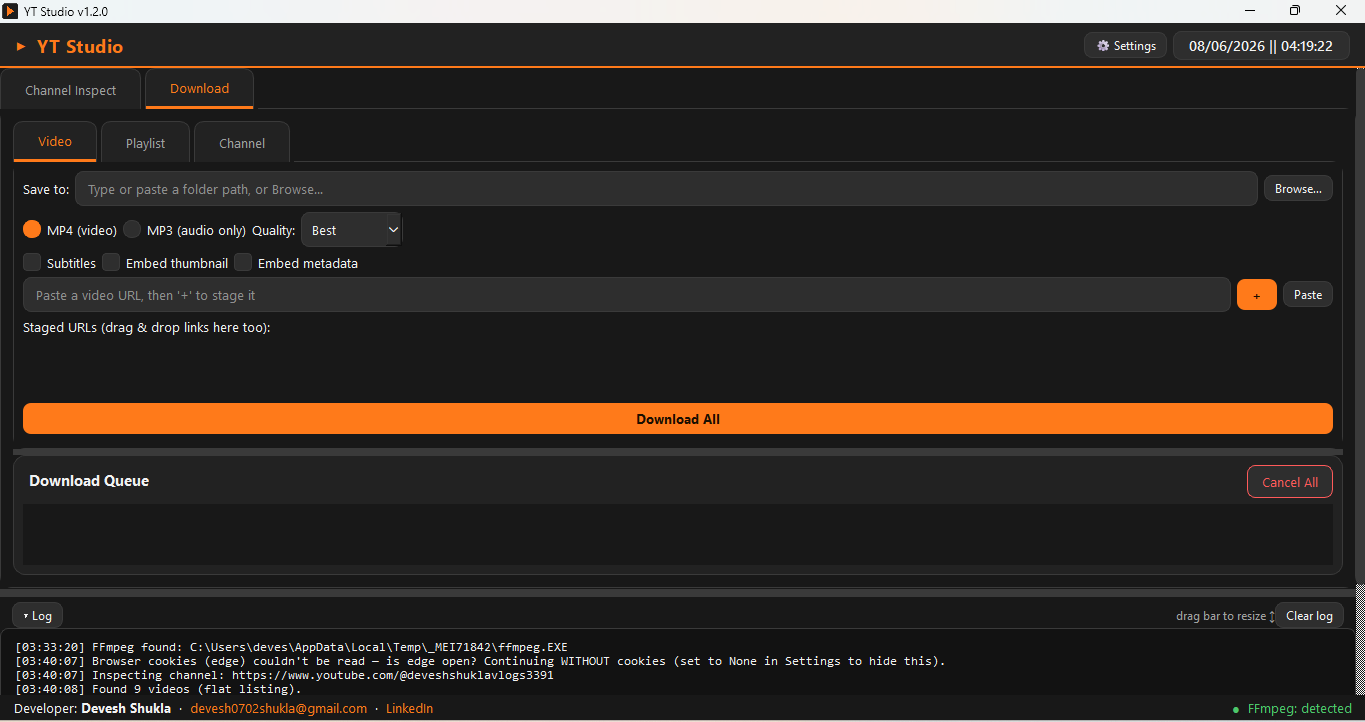
Stage multiple URLs or drag & drop links, choose MP4 or MP3, pick quality, and download in one queue. Embed subtitles, thumbnails and metadata as you go.
- Single video, full playlist, or whole channel
- MP4 video or MP3 audio, quality selector
- Subtitles, thumbnail & metadata embedding
How to use it
Download, open, and you're running in under a minute. No installers to chase, no Python setup.
Windows
- Download YT_Studio.exe and double-click it.
- If SmartScreen appears, click More info → Run anyway.
- If antivirus flags it, allow-list it — a known false positive for bundled yt-dlp apps.
macOS SOON
- Open YT_Studio.dmg and drag YT Studio into Applications.
- First launch: right-click → Open → Open, or allow it in Privacy & Security.
- Still blocked? Run once:
xattr -cr /Applications/YT\ Studio.app
🎬 Using the app
- Inspect: Channel Inspect tab → paste a channel URL → Inspect → sort/filter, then Export CSV/JSON.
- Download: Download tab → pick Video / Playlist / Channel → paste a URL and press + to stage it → choose MP4/MP3 + quality → Download All.
Get it on GitHub
Every release lives on GitHub — always the latest build, versioned and verifiable.
naxbil / YT-Studio
Releases, source & changelog · Windows + macOS builds
Used YT Studio? Tell us.
Reviews, bugs, feature requests — it all helps shape the next build.

Built & maintained by one engineer
YT Studio is built by Devesh Shukla — the same person behind Naxbil and MenuCliQ. It's free, made to be genuinely useful, and a quick way to see how Naxbil engineers desktop software. Need something custom? You already know who's behind it.
More free tools from Naxbil
We build and give away handy desktop tools. Pick one below — more are on the way.